KantaLang is my karaoke app for a browser, a TV, and the phones around it. Put the stage on the big screen and let people pick their next song from their own phones. The stage keeps the queue and plays the music.
Find a song and reserve it
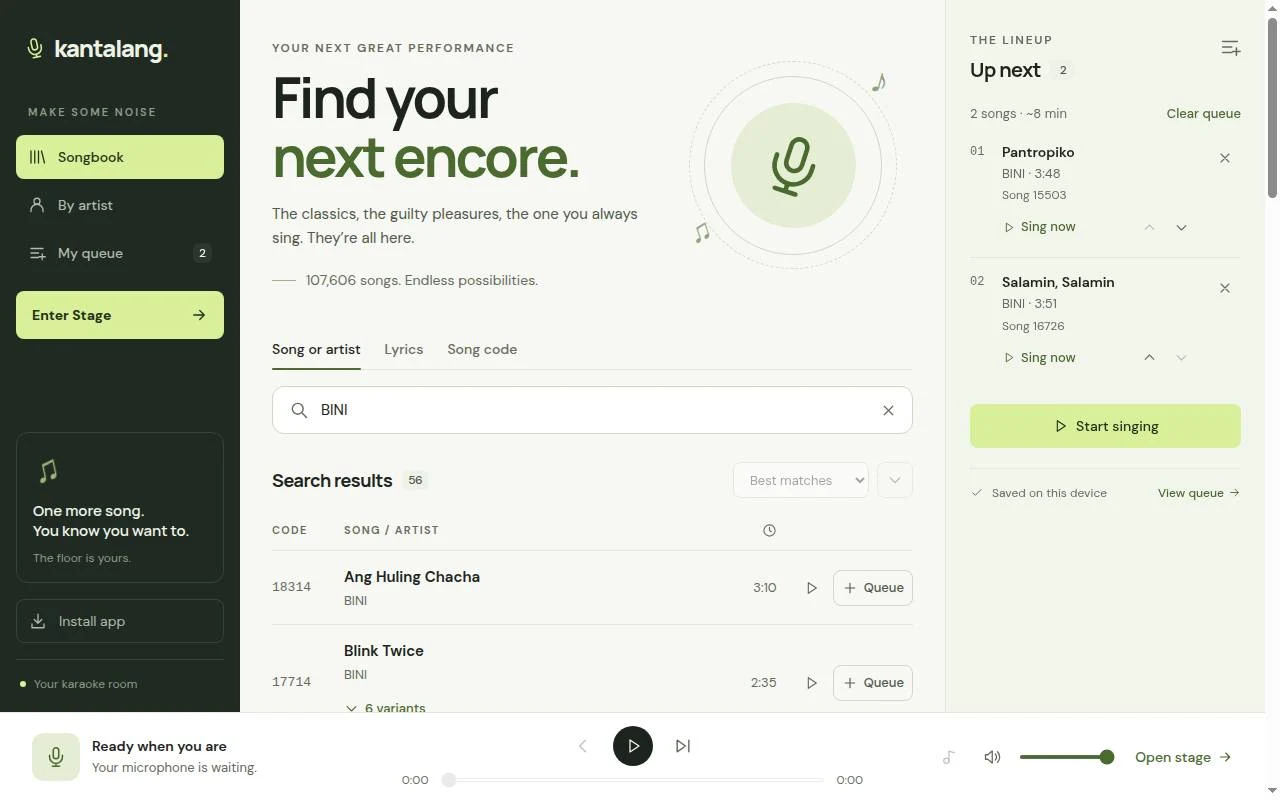
Search by title or artist, look up a song number, or search for the line you remember. Different arrangements of the same song sit under one songbook entry, so you can choose a version without scrolling past repeated titles.
Scan the stage's QR code to join from a phone. Guests can search, reserve songs and follow the lyrics without creating an account. The host decides who can control playback. A shared queue shows who reserved each song.
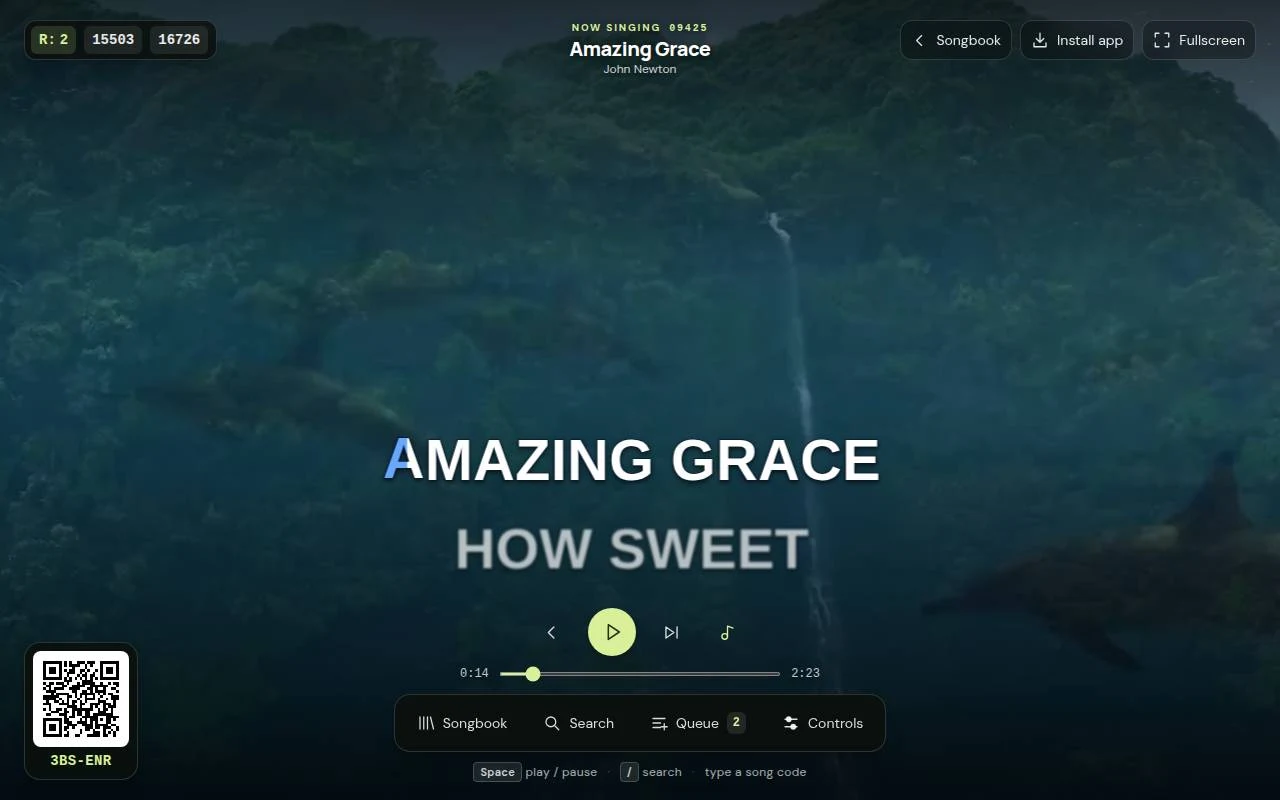
The stage highlights each syllable as it is sung and previews the next line. Open the songbook or queue during a song and the stage moves aside to keep the lyrics visible. On a TV remote, the arrow keys move between controls and the number buttons enter a song code.
Sing offline
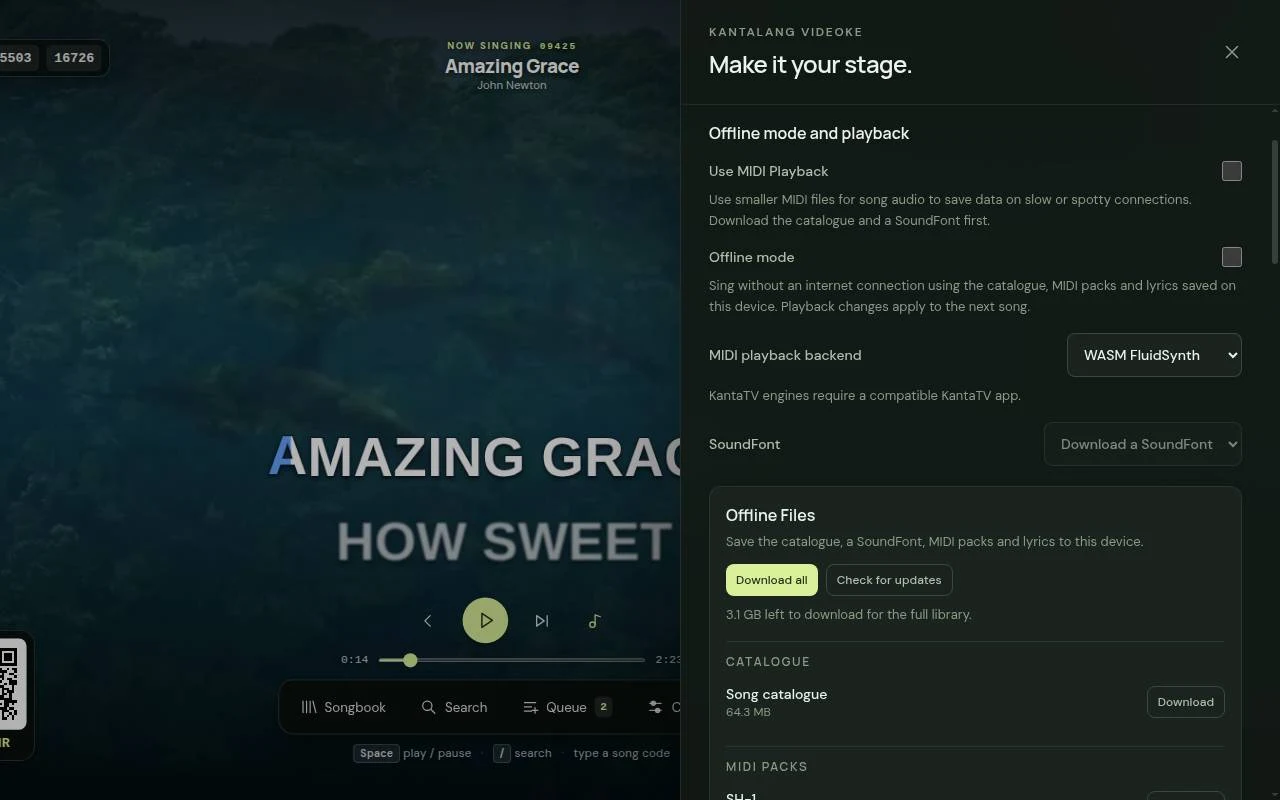
Online, KantaLang streams the backing audio. It can also play MIDI on the device, using a downloaded SoundFont as its instrument bank. With the catalogue and a SoundFont saved, online MIDI playback fetches just the selected song's MIDI data instead of streaming its audio.
For a session without internet, download the song packs and their timed lyrics first, then turn on Offline mode. Search and playback use the saved files. Offline backgrounds are still images, and the sound comes from the selected MIDI engine and SoundFont.
The browser uses FluidSynth through WebAssembly. Kanta TV also has native FluidSynth and BASSMIDI engines, with pause, seeking, volume and tempo controls.
Songs from the community
Community lets singers post their own MIDI arrangements with timed LRC lyrics. KantaLang renders the uploads into playable songs. Browse and search the shared songs, vote on them, and reserve them from the stage's Community songbook section.
Ready CM-2 songs appear by default. Include CM-1 songs adds the other ready uploads, and the choice is saved. Community songs stream online; the offline packs remain separate.
Built in separate parts
The interface is React and TypeScript. An AdonisJS API on MariaDB handles the catalogue, timed lyrics and phone rooms. A separate content server delivers the audio and offline downloads, so large media transfers go directly to it.
Phone commands travel through a WebSocket relay and switch to a direct WebRTC connection when one is available. The stage owns playback in either case. That keeps a guest's reservation separate from starting or interrupting a song.
Get Kanta TV
Open KantaLang in your browser or download Kanta TV 1.3.0 for Android TV. The APK is about 32 MB and requires Android 7.0 or newer. Copy it to the TV and open it with a file manager to install it. Android may ask you to allow that file manager to install apps.
Kanta TV opens directly to the stage and works with a remote. Version 1.3.0 adds an in-app updater. If you have an older version, install this APK over it once to get the updater. Keep the existing app installed so your downloads and settings stay in place.
Watch the update video and release notes for offline setup, MIDI playback, the TV updater and Community songs.